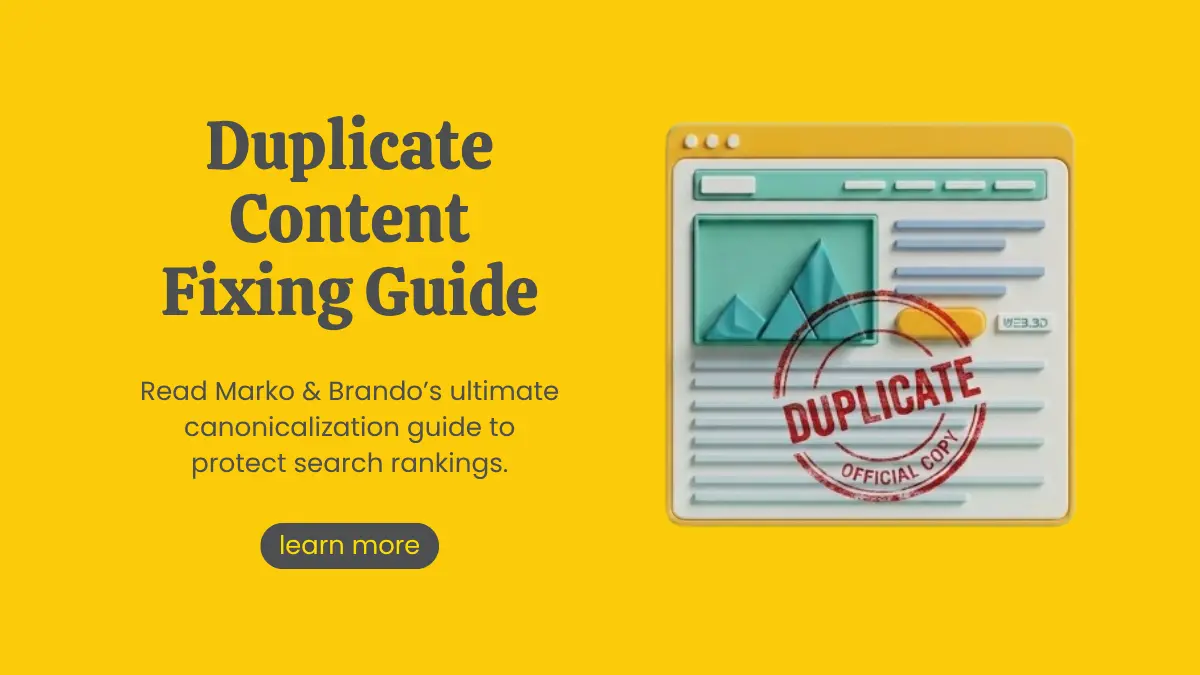
Canonicalization & Duplicate Content: A Step-by-Step Fix-It Guide
Summarize with AI


Imagine working tirelessly to create stellar content, only to discover that search engine crawlers are confused about which version of your page to rank. Worse yet, your organic traffic is splitting across multiple URLs, diluting your page authority and wasting precious crawl budget.
This silent SEO killer is duplicate content, and the primary weapon to solve it is canonicalization.
Whether you run a fast-growing e-commerce platform, a multi-location business site, or an enterprise portal, understanding canonical URL vs duplicate content dynamics is mandatory for modern search visibility. In this comprehensive canonicalization guide, we will walk you through the root causes of duplicate content SEO issues, how canonical tags work, and exact step-by-step methods on how to fix duplicate content.
1. What is Duplicate Content & Why Does It Harm SEO?
Duplicate content refers to substantial blocks of content within or across domains that either completely match or are remarkably similar.
While Google generally does not apply a direct "manual penalty" for unintentional duplicate content, duplicate content SEO issues harm your rankings in three critical ways:
Link Equity Dilution: Backlinks acquired by different URL variations split your internal PageRank instead of consolidating it into one strong URL.
Crawl Budget Waste: Search bots spend finite crawl budgets indexing duplicate pages instead of discovering your new or updated high-value content.
Search Engine Confusion: Google's algorithm has to choose which URL to display in Search Engine Results Pages (SERPs). If it picks the wrong one (e.g., a print version or parameter URL instead of the main landing page), your conversions suffer.
2. Understanding Canonical Tags: The Digital Master Record
A canonical tag (rel="canonical") is an HTML snippet placed in the section of a web page that informs search engines which URL is the authoritative or "master" version of a page.
HTML
Canonical URL vs Duplicate Content
While duplicate content is the problem, canonicalization is the instructional fix.
Think of canonical tags as telling Google: "Hey, we know these three pages look identical, but please attribute all search authority, ranking signals, and indexation to this specific URL."
Also Read: Our Awards & Recognition: The Story Behind Them
3. Step-by-Step Guide: How to Fix Duplicate Content
Here is an actionable technical checklist to eliminate indexation issues on your site.
Step 1: Audit Your Site for Duplicate URLs
Before adding tags, identify where duplicates exist using SEO auditing tools like Screaming Frog, Sitebulb, or Google Search Console.
Look for Coverage / Indexation warnings in Google Search Console (Duplicate without user-selected canonical or Duplicate, Google chose different canonical than user).
Run a crawl to identify duplicate Title Tags and H1 headers, which often flag underlying content duplication.
Step 2: Set Self-Referencing Canonical Tags on Master Pages
Every unique, standalone page on your website should contain a self-referencing canonical tag pointing to its own clean, absolute URL. This prevents URL parameters or tracking codes from creating unintentional duplicates in Google's index.
Step 3: Handle Dynamic URL Parameters
On e-commerce stores with product filters (e.g., colour, size, sorting):
Keep the base product/category page as the master canonical target.
Ensure filtered parameter URLs (/shop/shoes?color=blue) point their rel="canonical" back to the main category page (/shop/shoes/).
Step 4: Implement 301 Redirects for Identical Duplicates
If two pages serve the exact same purpose and you do not need both live for site functionality, use a 301 permanent redirect instead of a canonical tag.
301 Redirect: Merges the pages completely and sends both users and bots to the target URL.
Canonical Tag: Keeps both URLs accessible to human visitors, but directs search engines to index only one.
Step 5: Consolidate Protocol and Domain Variants
Force all visitors and search bots to a single canonical site structure via server-level .htaccess or NGINX rules:
Redirect HTTP to HTTPS.
Choose either WWW or non-WWW and redirect the alternate version.
4. Canonical URL Best Practices Checklist
To ensure search engines respect your canonical tags SEO strategy, strictly follow these rules:
Technical SEO Got You Stuck? Let Marko & Brando Handle It
Navigating canonicalization, crawl budget optimization, and site architecture fixes can get complex, especially for enterprise sites and modern JavaScript frameworks. A single mistyped tag can de-index key product pages overnight.
Marko & Brando, a leading digital marketing company in Kolkata, specializes in high-impact technical SEO audits, custom website architecture overhauls, and ROI-focused digital marketing strategies. Our team of seasoned SEO experts dives deep into your website's code to resolve duplicate content issues, repair broken link equity, and boost organic visibility.
Whether you need a complete technical audit or a tailored organic growth strategy:
Comprehensive Technical Audits (Canonical tags, schema markup, crawl budget analysis)
On-Page & Off-Page SEO Strategies tailored for scale
Web Development & Architecture Optimization
Take control of your search performance today. Partner with Marko & Brando, the leading digital marketing agency, to fix site architecture issues and unlock sustainable organic growth.
Frequently Asked Questions
What is canonicalization in SEO?
Canonicalization is the process of selecting the master, authoritative version of a webpage when multiple URLs share identical content. Adding a canonical tag (rel="canonical") tells search engines which single URL to index, rank, and credit with ranking signals, preventing authority dilution.
Why is duplicate content bad for SEO?
Duplicate content confuses search engine crawlers about which URL to rank. This splits your page authority across multiple links, wastes crawl budget on redundant pages, and risks inconsistent search visibility, ultimately lowering your website's organic traffic and keyword rankings.
How do canonical tags help search engines?
Canonical tags act as directional signals that guide search crawlers directly to your preferred URL. They help search engines consolidate link equity, aggregate user signals from parameter variations, and index your site efficiently without wasting resources on duplicate pages.
When should you use a canonical URL?
Use canonical URLs on all master pages as self-referencing tags, and on product filter pages, sorting parameters, and syndicated external content. They are essential whenever multiple URLs display nearly identical content to ensure search engines rank only your primary page.
How can I identify and fix duplicate content on my website?
Audit your website using Google Search Console or tools like Screaming Frog to locate duplicate pages. Fix them by applying self-referencing canonical tags to primary pages, setting 301 redirects for redundant URLs, and pointing parameter URLs back to the main category page.

Article by
Marko & Brando
For businesses looking for impactful digital marketing services, Marko & Brando is the name to trust. Our data-driven strategies ensure maximum ROI, helping your brand reach new heights. Experience the power of digital transformation with our expertise.




Google Launches August 2026 Spam Update: What You Need to Know

Marko & Brando
August 19, 2026
Canonicalization & Duplicate Content: A Step-by-Step Fix-It Guide
Marko & Brando
August 05, 2026

Schema Markup Guide: Which Structured Data Actually Gets You Cited by AI
Marko & Brando
July 26, 2026

Common Robots.txt Disallow Mistakes That Can Hurt Your Website's SEO
Marko & Brando
July 05, 2026