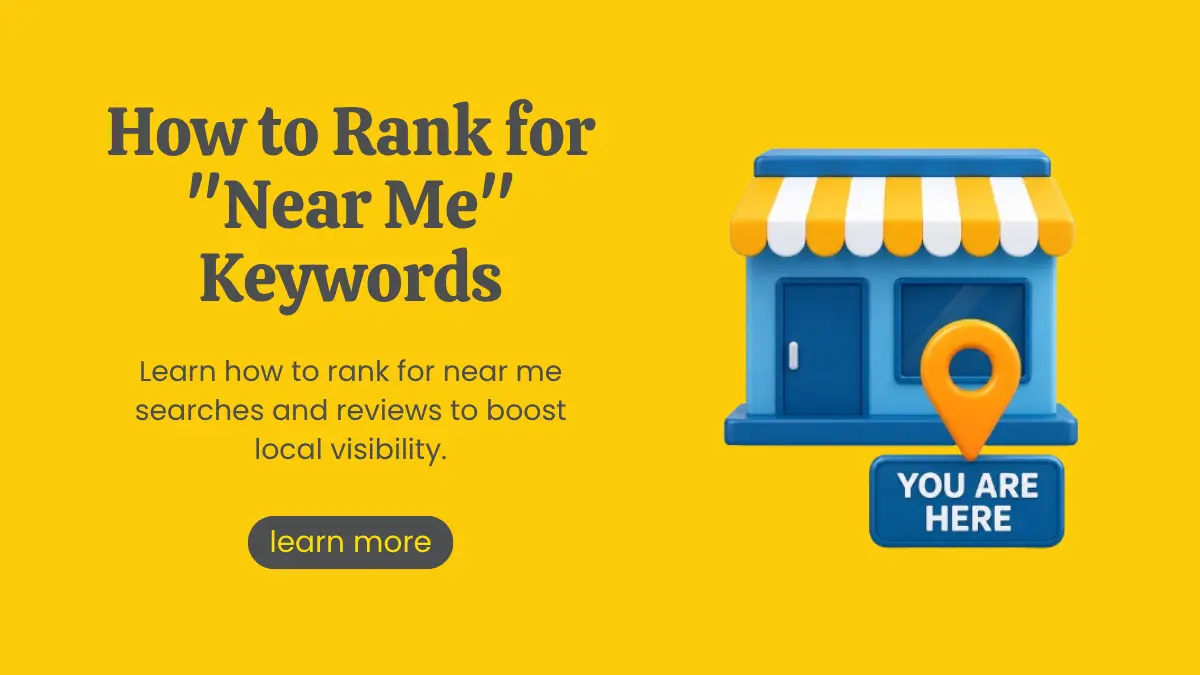
Near Me Searches: How to Rank for "Near Me" Keywords
Summarize with AI


Someone standing outside a Sector V office tower types "SEO agency near me" into their phone. Google shows a map, three listings and a handful of reviews. Whoever sits in those three spots gets the call. Everyone else, no matter how good their website is, gets scrolled past.
That's what "near me" search really comes down to. It is not a keyword trick. It's a set of location, relevance and trust signals that tell Google you are the closest sensible answer to a real person's problem.
This guide walks you through how to rank for near me searches, step by step. We'll use our own business, Marko & Brando, as the working example throughout: our Google Business Profile in Salt Lake Sector V, our LocalBusiness schema, our NAP details and the way we track local rankings. You'll see exactly what we do, what we'd fix, and what you can copy for your own business.
Key takeaways
"Near me" is a location signal, not a phrase to stuff into your pages. Google reads it as "show results close to this person".
Google says local results depend mainly on three things: relevance, distance and prominence. You can't change distance, so you win on the other two.
Your Google Business Profile does most of the heavy lifting for map pack rankings. Categories, accurate details, photos and reviews matter most.
Your website backs up the profile through location-rich pages, LocalBusiness schema and a consistent name, address and phone number.
Track rankings across a geo-grid, not from one spot. A listing can be number one at your door and invisible two kilometres away.
What are "near me" searches?
"Near me" searches are queries where someone wants a product, service or place close to where they are right now. Think "digital marketing agency near me", "cafe near me open now" or "dentist near me".
There are actually two kinds:
Explicit near me searches. The person types "near me". For example, "SEO company near me".
Implicit near me searches. The person doesn't type a location at all, but Google still treats the search as local. Search "digital marketing agency" from a phone in Salt Lake and you'll get a map pack, even though you never mentioned Kolkata.
Both work the same way behind the scenes. Google doesn't look for pages that contain the words "near me". It looks at where the searcher is (using device location, or a rough location on desktop) and then finds the most relevant, well-known businesses close to that point.
That single fact changes how you approach near me search optimization. You're not optimising for a phrase. You're optimising for location, relevance and trust.
How Google ranks "near me" results
Google has been fairly open about this. Its own Business Profile help page says local results are based primarily on relevance, distance and prominence (Google Business Profile Help).
Why "near me" keywords matter for local businesses
Near me keywords for local business are some of the most valuable searches you can rank for, for three simple reasons.
The intent is high: People searching "near me" usually want to call, visit or book soon. They've already decided they need the service. They're choosing who to go with.
The competition is smaller: You're not competing with every agency in India. You're competing with the handful of businesses Google considers close and relevant to that searcher. A small business can beat a national brand here.
Google lets people act right away: A strong listing shows your call button, directions, website, photos and reviews directly in the results. A lot of leads never even reach your website. They call straight from the map.
For a Kolkata business, this matters even more because so much of the city searches by neighbourhood: Salt Lake, New Town, Park Street, Gariahat, Behala, Dum Dum. We saw this clearly while planning festive campaigns for clients, which we covered in our Durga Puja marketing guide for Kolkata brands. Local, mobile, right-now searches spike exactly when buying intent peaks.
How to rank for "near me" keywords: a step-by-step guide
Step 1: Find the right near me keywords for your business
Start by listing what you actually do, then pair each service with the way people search for it locally. Don't try to rank one page for everything.
Here's a simplified version of the keyword map we'd build for Marko & Brando:
A few tips for building your own list:
Check Google's autocomplete and the "People also ask" box for your main service with "near me" added.
Look at the categories and services your top three map pack competitors use.
Use Google Search Console to filter queries containing "near me" or your neighbourhood names. You'll often find searches you never targeted.
Tools like Ahrefs, Semrush and Google Keyword Planner help with volume, but remember local volume is often too small for tools to report accurately. A "zero volume" local keyword can still bring calls.
Step 2: Don't stuff "near me" into your content
This is the most common mistake we see. Businesses write headings like "Best SEO Company Near Me" or add "near me" ten times to a page. It reads badly and it doesn't help, because Google isn't matching the phrase. It's matching your location.
Instead, make your real location obvious:
Mention your neighbourhood, city and nearby landmarks naturally.
Show your full address in the footer and on the contact page.
Embed a Google Map on your contact page.
Talk about the areas you actually serve.
On our homepage, for example, the full address (Aurora Waterfront, Sector V, Kolkata 700091) sits in the footer along with an embedded map of our Business Profile. That does far more for local relevance than any "near me" heading could.
Step 3: Optimise your Google Business Profile
For map pack rankings, your Google Business Profile (still widely called GMB or Google My Business) is the single most important asset you own. Here's the checklist we work through, using our own profile as the example.
Claim and verify it: Google says verification tells it you're authorised to represent the business, which makes the profile more likely to show up in search (Google Business Profile Help).
Use the exact business name: Our profile is listed as "Marko & Brando", the same name we use on our website and social channels. Never add keywords to your business name (for example, "Marko & Brando Best SEO Agency Kolkata"). It breaks Google's guidelines and can get a profile suspended.
Pick the right primary category: This is one of the strongest relevance signals you control. For an agency like ours, the primary category would be something like "Internet marketing service", with secondary categories such as "Marketing agency", "Website designer" or "Advertising agency" covering the other services. Choose the closest match to what you mainly do, then add secondary categories only for services you genuinely offer.
Fill in every field: Address, phone, website, hours, services, service descriptions, opening date and attributes. Google says businesses with complete and accurate information are more likely to appear in local results (same source).
Write a clear business description: Say what you do, who you serve and where you're based, in plain language. Mention your area once or twice, naturally.
Add real photos, often: Office exterior, entrance, team at work, client workshops. Real photos help people recognise you when they visit, and they show the profile is active.
Publish regular updates: Share new case studies, blog posts, offers or events as Business Profile posts. It keeps the listing fresh and gives searchers more reasons to click.
Know that Q&A is gone: If you used to seed your profile with your own questions and answers, that tactic no longer works. Google discontinued the Business Profile Q&A API on 3 November 2025 and began removing the public Q&A section from December 2025, replacing it with an AI feature called Ask Maps. It uses Gemini to answer questions about a business from its profile, reviews, website and other mentions online. So the answers people see now depend on how complete and accurate your information is everywhere, not just on Google.
Step 4: Build a steady flow of genuine reviews
Reviews are one of the few prominence signals Google names directly. More reviews and better ratings can help your local ranking.
At the time of writing, our own Google review widget shows a 5.0 rating across 99 reviews. That didn't happen through one big push. It came from asking every satisfied client, consistently, over several years.
What works:
Ask at the right moment. Right after a project goes live, a campaign hits its target, or a client says thank you.
Make it easy. Create a review link from your Business Profile and share it on WhatsApp or email.
Reply to every review. Thank people for positive reviews and respond calmly and helpfully to negative ones. Future customers read your replies as closely as the reviews.
Never buy, fake or incentivise reviews. Google removes them, and it can restrict your profile.
A useful side effect: when clients describe the actual service they used ("they rebuilt our website", "our leads went up after the SEO work"), those reviews add natural relevance for that service. Don't script what customers write, though. Just ask them to be specific about their experience.
Step 5: Optimise your website for local relevance
Your Business Profile links to your website, and Google uses that site to understand who you are.
On-page work for local SEO near me rankings looks like this:
Title tags and H1 that include your main service and location. For example, our homepage title targets "Digital Marketing Agency in Kolkata".
Location details in the body copy, written for people. Mention your neighbourhood, the areas you serve and local proof (clients, projects, landmarks).
A dedicated contact page with full NAP, an embedded map and directions from nearby landmarks.
Fast mobile pages. Most near me searches happen on phones, often on patchy mobile data. Check Core Web Vitals and fix slow loading, layout shifts and heavy images.
Clear calls to action. Call, WhatsApp and enquiry buttons that work with one tap.
If your website is slow or hard to use on a phone, that's often the first thing to fix. Our website design and development team builds sites with local SEO, speed and mobile conversions planned in from the start.
Step 6: Add LocalBusiness schema to your website
Schema markup is code that tells search engines, in a structured way, exactly who you are, where you are and how to reach you. It removes guesswork.
Here's an example of LocalBusiness schema built for Marko & Brando. We've used the "ProfessionalService" type, which is a subtype of LocalBusiness on Schema.org and fits a service agency well.
{
"@context": "https://schema.org",
"@type": "ProfessionalService",
"@id": "https://www.markobrando.com/#localbusiness",
"name": "Marko & Brando",
"url": "https://www.markobrando.com/",
"logo": "https://www.markobrando.com/asset/image/marko-logo.webp",
"image": "https://www.markobrando.com/asset/image/Marko-Brando.jpg",
"description": "Digital marketing agency in Kolkata offering SEO, paid ads, social media marketing, website development and branding.",
"telephone": "+91-9147702326",
"foundingDate": "2017",
"address": {
"@type": "PostalAddress",
"streetAddress": "1704, 17th Floor, Aurora Waterfront Office, Sector V, Salt Lake",
"addressLocality": "Kolkata",
"addressRegion": "West Bengal",
"postalCode": "700091",
"addressCountry": "IN"
},
"geo": {
"@type": "GeoCoordinates",
"latitude": 22.5700581,
"longitude": 88.4289259
},
"hasMap": "https://www.google.com/maps?cid=10850346734921476908",
"areaServed": [
{ "@type": "City", "name": "Kolkata" },
{ "@type": "Country", "name": "India" }
],
"openingHoursSpecification": [
{
"@type": "OpeningHoursSpecification",
"dayOfWeek": ["Monday", "Tuesday", "Wednesday", "Thursday", "Friday", "Saturday"],
"opens": "10:00",
"closes": "19:00"
}
],
"sameAs": [
"https://www.facebook.com/wearemarkobrando/",
"https://www.instagram.com/wearemarkobrando/",
"https://www.linkedin.com/company/markobrando/",
"https://x.com/brandomarko"
]
}
A Few Expert Notes on Getting Schema Right:
Match your Business Profile exactly. Name, address, phone and hours in the schema should be identical to your Google listing.
Use the geo coordinates from your Maps pin. Ours come straight from our Google Maps listing.
Link your profiles with sameAs. This helps Google connect your website, social accounts and listing as one entity.
Don't copy Google reviews into your schema. Adding an aggregateRating that pulls in your own Google reviews is not eligible for review rich results and can be treated as misleading markup. Let your Business Profile show your reviews.
Test before publishing. Run the code through Google's Rich Results Test and the Schema Markup Validator.
Step 7: Keep your NAP consistent everywhere
NAP stands for name, address and phone number. Google cross-checks these details across your website, your Business Profile and directories. When they don't match, it becomes less sure which details are correct.
Small differences add up. Take our own address as an example. On our website it reads "17th Floor, Aurora Waterfront Office. 1704, Sector V, Kolkata, West Bengal 700091". If one directory lists it as "Aurora Waterfront, GN Block, Salt Lake" and another says "Sector 5, Bidhannagar", a human knows it's the same place. A search engine sees three slightly different businesses.
The fix is simple but tedious:
Pick one master version of your NAP, matching your Business Profile.
Use it, character for character, on your website, social profiles and every directory.
Audit your existing listings once or twice a year and correct old ones, especially after moving office or changing numbers.
Useful citation sources for Indian businesses include Justdial, Sulekha, Bing Places, Apple Business Connect, Facebook and LinkedIn, plus industry directories. For an agency like ours, that means platforms such as Clutch, GoodFirms and DesignRush. For a clinic, it would be Practo. For a restaurant, Zomato and Swiggy.
Step 8: Create location pages the right way
If you serve more than one city or area, location pages help you rank for searches in each one. But there's an important nuance most guides skip.
Your map pack visibility depends on your verified address. We can rank in the Kolkata map pack because our office is here. We can't appear in the Mumbai map pack for "digital marketing agency near me" without a real, verified office in Mumbai.
What location pages can do is rank in the regular organic results for searches like "digital marketing agency in Mumbai". That's why we have separate pages for cities we serve, such as our digital marketing agency page for Mumbai.
For location pages to actually work:
Write genuinely different content for each page. Swapping only the city name creates thin "doorway pages", which Google treats as spam.
Add real local proof. Clients you've worked with there, local market insights, relevant industries in that city.
Include unique FAQs that people in that area actually ask.
Link each page from your main navigation or services hub so it doesn't sit orphaned.
Step 9: Earn local links and mentions
Links and mentions from other local websites are a strong prominence signal. Google itself names links, articles and directories as inputs.
Good local link opportunities in a city like Kolkata include:
Local news sites and business publications covering your work or awards
Chambers of commerce and industry associations you belong to
College events, placement drives and guest lectures you're part of
Sponsorships of local events, festivals and community programmes
Partner businesses and suppliers who can list you on their websites
Award listings. For example, our recognition in the Kolkata Trailblazers 2026 list adds a local, credible mention
Quality matters far more than quantity. One link from a respected local publication is worth more than fifty links from random directories.
Step 10: Prepare for AI answers in Maps and Search
Local search is changing fast. With Ask Maps and AI answers in Search, Google increasingly writes the answer about your business itself, pulling from your profile, reviews, website and mentions elsewhere.
That makes consistency and completeness even more important:
Keep services, hours and contact details identical everywhere.
Answer common customer questions clearly on your website, ideally in an FAQ section.
Make sure reviews reflect your current services, and reply to any that describe old problems you've since fixed.
Publish helpful content that shows real expertise, so AI systems have accurate material to draw from.
How to track your "near me" rankings
Checking your ranking by searching from your own office is misleading. You'll almost always look great, because you're standing right on top of your own listing.
Near me rankings change block by block. That's why local SEO teams use geo-grid tracking: the tool checks your ranking from many points on a map around your business and shows the results as a grid.
When should you hire a Local SEO Specialist?
Many small businesses can handle the basics themselves: claiming the profile, adding photos and asking for reviews.
A Local SEO Specialist becomes worth it when:
You've done the basics but competitors still outrank you in the map pack
You serve several areas or cities and need location pages that actually rank
Your NAP is scattered across years of old listings
You need schema, technical fixes and site speed work alongside the profile
You want geo-grid tracking and clear reporting tied to calls and leads, not just rankings
A good specialist won't promise "guaranteed number one". Google itself says that's not possible to buy. They'll show you where you stand today, what's holding you back and how they'll measure progress.
Frequently asked questions
How does Google decide what shows up for “near me”?
Google ranks “near me” results on relevance, distance and prominence. In other words, it weighs how well you match the search, how close you are, and how trusted you are through reviews, links and listings.
Do I need to put “near me” on my website?
No. Google treats “near me” as a location signal, not a keyword. Show your real address, service areas, an embedded map and consistent NAP details instead.
Does “near me” work without location services on?
Yes, but less precisely. Google estimates location from your IP address, past activity and saved account addresses. Results are usually accurate to the city or area, not the street.
How do I rank in the map pack?
Verify and complete your Google Business Profile with the right primary category. Keep your NAP consistent, earn genuine reviews, add LocalBusiness schema and build local links.
Article by
Marko & Brando
For businesses looking for impactful digital marketing services, Marko & Brando is the name to trust. Our data-driven strategies ensure maximum ROI, helping your brand reach new heights. Experience the power of digital transformation with our expertise.


Near Me Searches: How to Rank for "Near Me" Keywords
Marko & Brando
October 10, 2026

Google Launches August 2026 Spam Update: What You Need to Know
Marko & Brando
August 19, 2026
Canonicalization & Duplicate Content: A Step-by-Step Fix-It Guide
Marko & Brando
August 05, 2026

Schema Markup Guide: Which Structured Data Actually Gets You Cited by AI
Marko & Brando
July 26, 2026