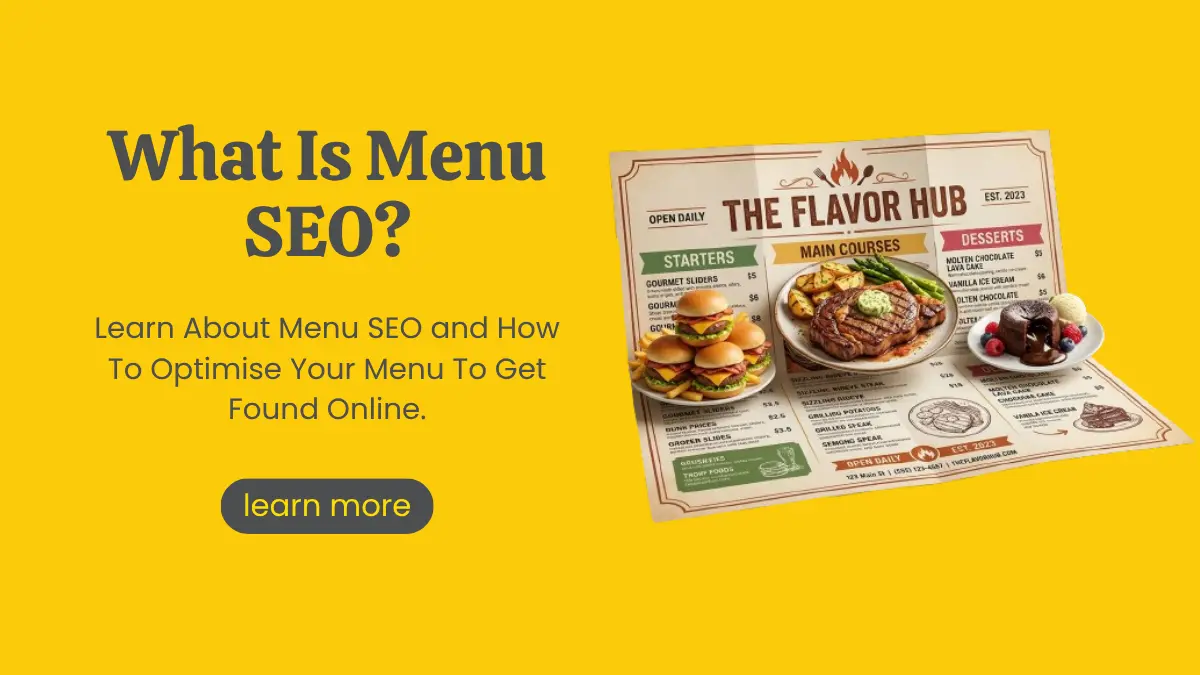
What Is Menu SEO and How Does It Help Restaurants Get Found?
Summarize with AI


Hungry customers don't just search for "restaurants near me" anymore. They search for the exact dish they're craving: "best kosha mangsho in Kolkata", "veg thali near Salt Lake", "momos open late". If your menu can't be read by Google, your restaurant simply doesn't show up for those searches.
And the menu is what diners care about most. A TouchBistro diner survey found that 84% of restaurant goers always or often look up a menu before they visit. Your menu is no longer just something people read at the table. It's one of your strongest marketing tools online.
That's where restaurant menu SEO comes in. In this guide, we'll explain what menu SEO is, how Google reads your menu, and the exact steps to optimise it so more diners find you.
What Is Menu SEO?
Menu SEO is the practice of making your restaurant's menu easy for search engines to find, read and understand, so your restaurant appears when people search for dishes, cuisines and food experiences.
In simple terms, it means turning your menu from a static picture or PDF into searchable content. Every dish name, description, price and category becomes a signal that tells Google what you serve and who you serve it to.
Menu SEO is one part of the wider practice of restaurant SEO, which also covers your website, Google Business Profile, reviews and local listings. But the menu is often the most overlooked part, and the one with the biggest untapped potential.
Why Does Menu SEO Matter for Restaurants?
Think about how people actually search for food. They rarely type a restaurant's name unless they already know it. They type what they want to eat.
A well-optimised menu helps you:
Rank for dish-level searches. "Mutton biryani in Park Street" is a far more motivated search than "restaurant Kolkata".
Show up in local results. Google uses your menu content to understand whether your restaurant is relevant for food-related "near me" searches.
Strengthen your Google Business Profile. Menu links, menu items and dish photos all make your listing more complete and more clickable.
Get picked up by AI search. Tools like Google's AI Overviews and ChatGPT pull from clearly written, structured content. A readable menu gives them something to cite.
Convert browsers into diners. A clear, mobile-friendly menu answers the "what will I eat and how much will it cost" question before a customer even calls.
How Does Google Read Your Menu?
Before you optimise, it helps to know what Google can and can't see.
HTML Text Menus
This is the gold standard. When your menu is written as text on a web page, Google can crawl every dish, description and price. It's fast on mobile, easy to update and easy to link to.
PDF Menus
Google can index PDFs, but they come with problems. They load slowly on phones, they're hard to read on small screens and they're usually forgotten when prices change. In an MGH diner survey, around 30% of respondents said hard-to-read menus had put them off visiting a restaurant.
Image Menus
A photo of your printed menu looks authentic, but it's the weakest option for SEO. Google can't reliably read text inside images, so your dishes stay invisible to search.
Structured Data and Google Business Profile
Beyond your website, Google also reads menu information from restaurant menu schema (code that labels your menu items) and from the menu section of your Google Business Profile. We'll cover both in the steps below.
How to Optimize Restaurant Menu for SEO: 10 Practical Steps
1. Publish Your Menu as an HTML Page
Move your menu out of PDFs and images and onto a proper web page. If you want to keep a printable PDF for diners who like it, that's fine. Just make the HTML version the main one and link the PDF from it.
Make sure the page is mobile-friendly and loads quickly. Most people checking a menu are on their phone, often on the way to deciding where to eat.
2. Give the Menu Its Own URL and Make It Easy to Find
Use a simple, clean URL like yourwebsite.com/menu. Link to it from your main navigation, homepage and footer. If you run separate menus (lunch, dinner, drinks, desserts), give each one a clear heading or its own page.
3. Use Dish Names People Actually Search For
Creative dish names are part of your brand, but Google needs context. Pair your signature name with a plain description.
Not ideal: "The Grandma Special"
Better: "The Grandma Special: Slow-Cooked Bengali Mutton Curry"
Check what diners in your area search for using Google's autocomplete, Google Keyword Planner or the "Popular dishes" sections on competitor listings.
4. Write Short, Descriptive Dish Descriptions
One or two lines per dish is enough. Mention key ingredients, cooking style, spice level and dietary details.
For example: "Prawns simmered in coconut milk and mild spices, served with steamed rice. Gluten-free."
This naturally adds the words people search for (prawn malai curry, coconut, gluten-free) without sounding forced.
5. Organise the Menu With Clear Headings
Group dishes into logical sections like Starters, Mains, Biryani, Breads, Desserts and Beverages. Use proper H2 or H3 headings for each section. This helps both diners scanning on a phone and search engines trying to understand your menu structure.
6. Show Prices and Keep Everything Updated
Prices help diners decide quickly and build trust. Outdated menus do the opposite. If a customer arrives expecting a dish you stopped serving months ago, that frustration often turns into a poor review.
Set a simple rule: whenever the printed menu changes, the website menu changes the same day.
7. Add Food Photos With Proper Alt Text
Great food photography sells.
Add photos of your best dishes, then optimise them:
Name files descriptively (chicken-chaap-kolkata.jpg, not IMG_2031.jpg)
Compress them so the page stays fast
Write alt text that describes the dish ("Chicken chaap served with rumali roti")
Optimised images can also appear in Google Image search, which is another route for hungry searchers to find you.
8. Add Restaurant Menu Schema
Schema markup is code that labels your content so search engines understand it clearly. Schema.org includes specific types for menus: Menu, MenuSection and MenuItem, which connect to your Restaurant markup through the "hasMenu" property.
Here's a simplified example:
json
{
"@context": "https://schema.org",
"@type": "Restaurant",
"name": "Example Kitchen",
"servesCuisine": "Bengali",
"address": {
"@type": "PostalAddress",
"addressLocality": "Kolkata",
"addressCountry": "IN"
},
"hasMenu": {
"@type": "Menu",
"name": "Dinner Menu",
"hasMenuSection": {
"@type": "MenuSection",
"name": "Mains",
"hasMenuItem": {
"@type": "MenuItem",
"name": "Kosha Mangsho",
"description": "Slow-cooked spicy mutton curry in a rich onion gravy.",
"offers": {
"@type": "Offer",
"price": "450",
"priceCurrency": "INR"
}
}
}
}
}
A quick, honest note: Google doesn't currently show a special "menu" rich result in search. But schema still helps search engines, and AI tools understand exactly what you serve, which supports your overall restaurant SEO. Keep the schema matching what's visible on the page.
9. Add Your Menu to Google Business Profile
Your Google Business Profile is often the first place diners see your restaurant. Add a link to your website menu, upload clear menu photos and, where available, use the menu editor to list your dishes with prices and descriptions. We explain exactly how in the FAQ below.
Encourage happy customers to mention dishes by name in their reviews and to upload food photos. Google often uses this kind of content to highlight popular dishes on your listing.
10. Create Pages for Signature Dishes and Special Menus
Famous for one dish? Give it its own page with the story behind it, photos and ingredients. Running a festive menu for Durga Puja, Poila Baisakh or Christmas? Publish it as a dedicated page and promote it well before the season starts. These pages can rank for seasonal searches that your main menu never would.
Also Read: Durga Puja Marketing Guide
Common Menu SEO Mistakes to Avoid
Only uploading a PDF or image menu with no text version
Hiding the menu several clicks deep or behind an ordering app
Different prices on your website, Google Business Profile and delivery apps
Vague dish names with no descriptions at all
Forgetting to update the menu after seasonal or price changes
Heavy, uncompressed photos that make the menu page crawl on mobile
Get Expert Help With SEO for Restaurants
Menu SEO is one of the quickest wins in SEO for restaurants, but it works best as part of a complete local strategy that also covers your website, Google Business Profile, reviews and listings.
At Marko & Brando, a trusted SEO Company in Kolkata, we help restaurants, cafés and cloud kitchens turn their menus into search-friendly assets that bring in real diners. If your current site makes menu updates difficult, our team can build a fast, mobile-friendly site that's easy for you to manage.
Your food deserves to be found. Let's make sure it is.
Frequently Asked Questions
Does my restaurant menu affect SEO?
Yes. Your menu tells Google what dishes and cuisines you serve, which helps you appear for food-related searches like "best biryani near me". A text-based, well-organised menu with clear dish names and descriptions gives search engines far more to work with than an image or PDF.
Should I put my menu in PDF or HTML?
HTML is the better choice for SEO and for diners. It loads faster, reads well on mobile, is easier to update and can include schema markup. You can still offer a downloadable PDF, but keep the HTML page as your main menu.
How do I get my dishes to show up in Google search?
Publish your menu as text on your website, use dish names people search for, add short descriptions and photos with alt text, and mark up the menu with schema. Then add the menu to your Google Business Profile and encourage customers to mention dishes in their reviews.
How do I add a menu to Google Business Profile?
Sign in to the Google account that manages your listing and search your business name on Google or open Google Maps. Select "Edit profile", then find the menu section (often under "Food and menu"). Here you can add your menu link and, if available for your category and region, use the menu editor to add sections, dishes, prices and photos. You can also upload menu photos through the "Add photos" option.

Article by
Marko & Brando
For businesses looking for impactful digital marketing services, Marko & Brando is the name to trust. Our data-driven strategies ensure maximum ROI, helping your brand reach new heights. Experience the power of digital transformation with our expertise.

What Is Menu SEO and How Does It Help Restaurants Get Found?

Marko & Brando
October 24, 2026

Shopify Store Launch SEO Checklist: 25 Steps to Complete Before You Go Live
Marko & Brando
October 14, 2026
Near Me Searches: How to Rank for Near Me Keywords
Marko & Brando
October 10, 2026

Google Launches August 2026 Spam Update: What You Need to Know
Marko & Brando
August 19, 2026