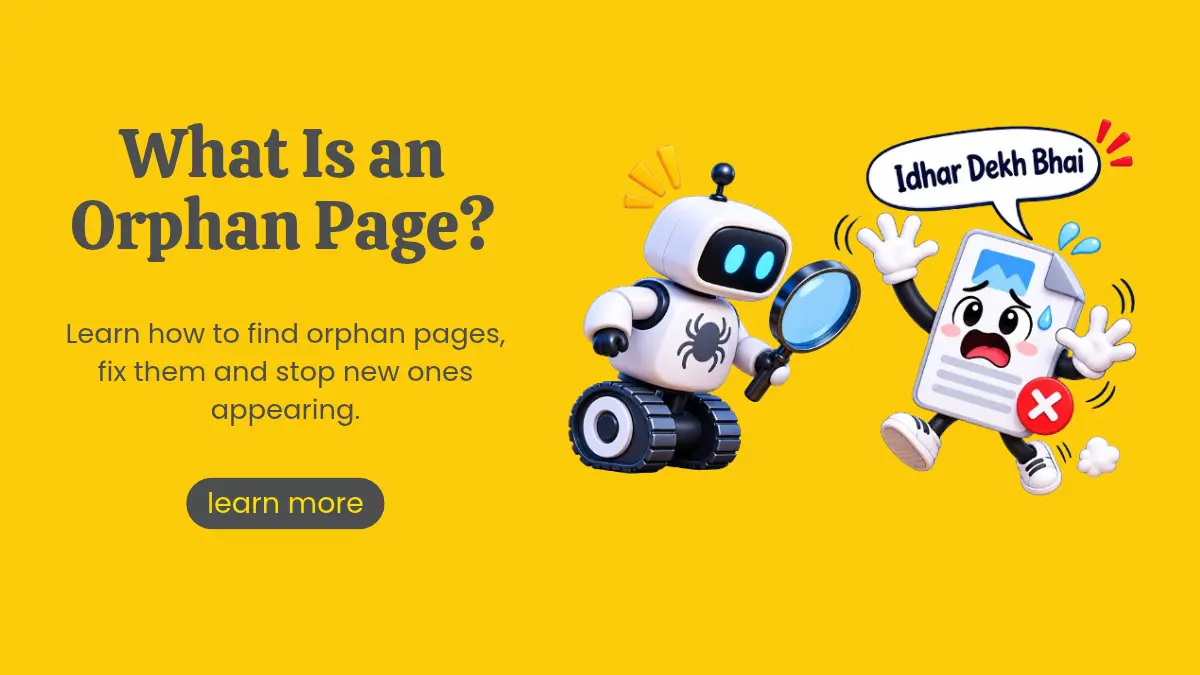
What Is an Orphan Page? Understanding Its Impact on SEO and How to Find It
Summarize with AI


Search engines understand a website mainly through its internal links. Googlebot starts from pages it already knows, follows the links on them and builds a map of how every page connects to the rest of the site. Those same links tell Google which pages matter most and pass authority from one page to the next.
When a page has no internal links pointing to it, it falls outside that map. It may be live, well written and fully optimised, but no menu, category page or blog post leads to it. In SEO, such a page is called an orphan page. Pages like this often sit in Search Console with a "Discovered – currently not indexed" status, or get indexed but never rank, even when the content itself has no problem.
Orphan pages are one of the quietest problems in technical SEO. They don't throw errors, they don't break the design, and most site owners never notice them. Yet they hold back indexing, waste the authority your site has already earned and leave good content sitting where neither users nor search engines can reach it easily.
The good news is that orphan pages are simple to find once you know where to look, and most of them are quick to fix. This guide shows you exactly how we do it, with small examples you can apply to your own site today.
What Is an Orphan Page in SEO?
An orphan page is a live, indexable page on your website that has no internal links pointing to it from any other page on the same site. Because nothing links to it, users can't navigate to it and search engine crawlers can't discover it by following links. It can only be reached through the XML sitemap, external backlinks, redirects or someone typing the URL directly.
Key Takeaways:
An orphan page returns a 200 status code but has zero inbound internal links, so it sits outside your site structure.
Orphan pages can still be indexed if Google finds them through a sitemap or backlinks, but they usually rank poorly because no internal link authority flows to them.
Orphaned pages in a sitemap are a common warning sign: the sitemap says "this page matters," while your internal linking says it doesn't.
To find orphan pages, compare the URLs a crawler finds through links against every URL you know exists (sitemap, Search Console, analytics, server logs).
Every orphan page needs a decision: link it, merge and redirect it, noindex it or remove it.
Orphan Pages Meaning: A Simple Example
Picture a small agency website with this structure:
Home → /services/ → /services/seo/
Home → /blog/ → /blog/keyword-research-guide/
/services/local-seo-kolkata/ (published last month)
The first two paths are connected. A visitor can click from the homepage to the SEO service page, and Googlebot can follow the same route. But the local SEO page was published, added to the XML sitemap and then never linked from the menu, the services page or any blog post.
That page is an orphan. It is live, it returns a 200 status code, and it may even be indexed. But inside the website's own link graph, it has no parent.
A related term you will hear is a dead-end page, which is the opposite problem: a page that receives links but has no outgoing links. And a deep page is one that is linked, but only five or six clicks away from the homepage. Neither is an orphan, though both are worth fixing during the same audit.
How Do Search Engines Find Orphan Pages?
Orphan pages are hard to reach, not impossible. Google can still discover them through:
The XML sitemap: If the URL is listed, Google knows it exists. This is why orphaned pages in a sitemap are so common. Many CMS platforms add every published page to the sitemap automatically, whether it is linked or not.
External backlinks: A page linked from another website, a press release or a directory can be discovered through that link.
Redirects: If an old URL redirects to the orphan page, Google may follow the redirect.
Canonical and hreflang references: A canonical tag or hreflang annotation pointing to the page also tells Google it exists.
Direct traffic and campaigns: Links in emails, WhatsApp broadcasts, QR codes and ads can send users to the page, even if Google never follows them.
Discovery, though, is not the same as indexing. A sitemap is a hint, not an instruction. If Google finds a page through the sitemap but sees no internal links pointing to it, it has little reason to treat that page as important. That is often where the "Discovered – currently not indexed" status comes from.
Are Orphan Pages Bad for SEO?
For most websites, yes. An orphan page is rarely a penalty risk, but it is almost always a missed opportunity. Here is why.
1. They may never get indexed, or may drop out of the index
Internal links are one of the main ways Google judges which pages on a site matter. A page with no internal links sends a weak signal. Google may crawl it rarely, leave it unindexed or quietly drop it from the index over time. A page that isn't indexed can't rank, and a page that can't rank brings no organic traffic.
2. They receive no internal link authority
Every internal link passes some authority from one page to another. Your homepage and your most-linked pages hold the most, and internal links distribute it across the site. An orphan page is cut off from that flow.
Example: Two pages on the same site target similar keywords. Page A is linked from the main menu and five blog posts. Page B is only in the sitemap. Even if Page B has better content, Page A will almost always rank higher, because the site itself is telling Google that Page A is the one that matters.
3. They can waste crawl resources on large sites
Every URL Googlebot requests uses part of your site's crawl capacity. On a large site, hundreds of outdated orphan pages (expired offers, old product variants, test pages) can take crawl attention away from the pages you actually want refreshed.
To keep this in proportion: Google's own crawl budget guide is written mainly for very large sites, such as those with over a million pages or over 10,000 pages that change daily. For a typical 200-page business site, crawl budget is not the main concern. Indexing and lost authority are.
4. They hurt user experience
If a user lands on an orphan page from an old link or a search result, they may find outdated content, such as a past event, a discontinued product or an expired offer. And if the page is useful, they will struggle to find it again, because nothing on the site leads back to it.
When orphan pages are perfectly fine
Some pages are meant to stand alone. These are normal and need no fix, as long as they are handled correctly:
Paid ad landing pages built for a single campaign
Thank-you and confirmation pages after a form submission
Gated content pages for email subscribers
Staging, test or internal tool pages
The rule is simple: if a page is intentionally orphaned, it should usually be set to noindex and kept out of the XML sitemap. The problem only starts when an intentional orphan is indexable and listed in the sitemap, or when a page you want to rank becomes orphaned by accident.
Common Reasons Orphan Pages Exist
Orphan pages rarely come from one big mistake. They build up over time through small ones:
Site migrations and redesigns: The new menu leaves out pages that existed on the old site, but the pages themselves stay live.
Menu and navigation changes: A page that was only linked from the footer or mega menu loses its only link when the menu is trimmed.
Blog pagination: Older posts are only reachable through page 8 or page 15 of the blog archive. If that pagination is loaded by JavaScript or a "Load more" button that crawlers can't follow, the posts become orphans.
Publishing without internal linking: A new post or service page goes live with no contextual links from related content.
Deleted category or hub pages: When a parent page is removed, all its children can lose their only link.
URL inconsistencies: Internal links point to one version of a URL while the sitemap lists another, such as uppercase vs lowercase or trailing slash vs no trailing slash.
Leftover campaign pages: Festive offers, event pages and limited-time sales stay live and indexable long after the campaign ends.
Adopting a page back into your site structure
When you keep a page, don't settle for a single footer link. Give it real context:
Link to it from its parent category or service hub
Add two or three contextual links from related blog posts, using descriptive anchor text
Link from the page back to its parent and to related pages, so it isn't a dead end either
Make sure the URL in your internal links matches the URL in the sitemap and canonical tag exactly
Example: An orphaned blog post on "flats for sale in Garia" should be linked from the Garia locality page, from one or two related posts (such as a home buying checklist), and should link back to the locality page itself.
Cleaning up orphaned pages in the sitemap
Your sitemap should only list pages that are indexable, return a 200 status code, use their canonical URL and are linked internally. Every orphan in the sitemap is a mixed signal. After fixing your orphan pages, regenerate the sitemap and resubmit it in Search Console.
Real Orphan Page Cases From Our SEO Audits and How We Resolved Them
Theory only goes so far. Here are the orphan page patterns our SEO team actually comes across during audits, and how we resolve each one.
Case 1: Case-sensitive duplicate URLs after a site migration
What we found: On an infrastructure company's website, a migration left two versions of the same section live: /Download/Policies/ and /download/policies/. The navigation linked to one, while the other survived in the index and old references. Most servers treat these as two different URLs, so one became an orphan copy of the other.
How we fixed it: We chose the lowercase version as the single URL, set up 301 redirects from the uppercase variants, updated every internal link and regenerated the sitemap so only the lowercase URL was listed. We also recommend a server-level rule that forces lowercase URLs, so the problem can't return.
Case 2: Legacy orphaned URLs behind a traffic drop
What we found: During a Search Console traffic-drop diagnosis for a steel infrastructure manufacturer, we found legacy URLs from an older version of the site still live and still indexed, but no longer linked from anywhere. They were competing with the new product pages, alongside a URL casing bug, cannibalisation and thin content.
How we fixed it: We mapped each legacy URL to its closest current page. Old URLs with impressions or backlinks were 301 redirected to the matching product page. The rest were removed. This consolidated signals into one strong page per product instead of splitting them between old and new versions.
Case 3: Blog posts with too few internal links
What we found: On our own website, we audited 145 live blog posts. Many newer posts were reachable only through the blog listing and pagination, with few or no contextual links from related content. They weren't always strict orphans, but they were close to it.
How we fixed it: We grouped the posts into 13 topic clusters and built a linking plan of 645 contextual links, where every post links to 3 to 9 related posts and receives at least two inbound links, using varied anchor text. One lesson from this: fix redirected or duplicate URLs first. If you build internal links before cleaning up 301s, you end up linking to URLs that redirect, and you have to redo the work.
Case 4: Large page builds that rely on the sitemap
What we found: Real estate websites often launch locality pages in batches, such as a main locality page with 15 or more child pages for specific BHK types or price bands. If those child pages are only added to the sitemap, they are effectively orphans from day one.
How we prevent it: Every child page links back to its parent locality page with natural, varied anchor text, and the parent page links out to each child. The pages go live already connected, so Google discovers them through the site structure, not just the sitemap.
Case 5: Duplicate profile pages in large directories
What we found: On a multispeciality hospital website, our audit found a large number of duplicate doctor profiles across units. In directories like this, it is common for only one version of a profile to be linked from the department page, while the other version survives through the sitemap or old links.
How we fix it: We identify the main profile for each doctor, redirect duplicates to it and update department and unit pages so they all link to that single version. One doctor, one URL, linked from every relevant page.
Case 6: Deleted pages with nothing worth saving
What we found: For a non-profit's WordPress site, the Search Console 404 report listed pages that had been deleted earlier. The obvious instinct is to redirect everything.
How we decided: We checked each URL for traffic and backlinks. Pages with neither were left as 404s, because redirecting irrelevant old pages to the homepage helps nobody and can be treated by Google as a soft 404 anyway. Redirects are for pages with real value to pass on.
Case 7: Campaign landing pages that outlive the campaign
What we found: Festive offers, event registrations and ad landing pages are built to stand alone. The trouble starts when they stay indexable and listed in the sitemap long after the campaign ends.
How we fix it: Active campaign pages are set to noindex and kept out of the sitemap. Once a campaign ends, pages with backlinks are redirected to the most relevant evergreen page, and the rest are removed.
How to Stop New Orphan Pages From Appearing
Finding orphan pages once is useful. Making sure they don't return is better. Build these habits into your workflow:
Add an internal linking step to your publishing checklist. No page goes live without at least two contextual links pointing to it.
Run a crawl-versus-sitemap comparison every month or quarter, depending on how often you publish.
Keep a redirect map for every migration or redesign, and check that every old page has a destination before the new site launches.
Use plain HTML links for navigation and pagination, not JavaScript-only buttons that crawlers may not follow.
Review campaign pages when each campaign ends, not once a year.
Watch the "Discovered – currently not indexed" status in Search Console. A sudden rise often points to new pages that aren't linked well enough.
How Marko & Brando Can Help
Orphan pages are rarely the only issue on a website. They usually sit alongside duplicate URLs, redirect chains, weak internal linking and sitemap problems, and they need to be fixed together. As a digital marketing agency in Kolkata working since 2017 with real estate developers, hospitals, manufacturers, non-profits and e-commerce brands, our SEO team has handled each of the cases in this guide first-hand, from post-migration URL cleanups to 600+ link internal linking plans. We don't rely on one tool's "orphan pages" report. We cross-check crawls, Search Console, analytics and sitemaps, verify every candidate by hand and give you a page-by-page plan with a clear action for each URL. If you suspect your best pages are being overlooked, our SEO services can start with a technical audit that shows exactly where your site structure is losing value.
ALSO READ
Common Robots.txt Disallow Mistakes That Can Hurt Your Website's SEO
Canonicalization & Duplicate Content: A Step-by-Step Fix-It Guide
What Is Keyword Cannibalization in SEO? Meaning, Examples, and Impact on Rankings
Topical Authority in SEO: How It Differs from Domain Authority
Frequently Asked Questions About Orphan Pages
What is the meaning of orphan pages in SEO?
Orphan pages are live, indexable pages on a website that have no internal links pointing to them from any other page on the same site. Users can't navigate to them and search engine crawlers can't reach them by following links. They can only be found through the XML sitemap, external backlinks, redirects or a direct URL.
Are orphan pages bad for SEO?
Usually, yes. Orphan pages don't trigger a penalty, but they receive no internal link authority, are less likely to be indexed and generally rank poorly. On large sites, many outdated orphan pages can also take crawl attention away from important pages. Intentional orphans, such as ad landing pages, are fine if they are set to noindex.
Can Google index an orphan page?
Yes. Google can discover an orphan page through the XML sitemap, backlinks, redirects or canonical tags, and may index it. However, discovery doesn't guarantee indexing. Without internal links, Google has little reason to see the page as important, so it may stay unindexed or drop out of the index over time.
What are orphaned pages in a sitemap?
Orphaned pages in a sitemap are URLs listed in your XML sitemap that have no internal links from any other page. They send Google a mixed signal: the sitemap says the page matters, but the site structure says it doesn't. The fix is to either link the page properly or remove it from the sitemap.
How do I find orphan pages for free?
Crawl your site with a free crawler such as Screaming Frog (up to 500 URLs) to get a list of linked pages. Then export URLs from your XML sitemap, Google Search Console and Google Analytics 4. Compare the two lists in Google Sheets using COUNTIF. Any URL that exists in your data but not in the crawl is an orphan candidate.
Should I delete orphan pages?
Only if they have no value. First check whether the page gets traffic, has backlinks or contains useful content. If it does, link it back into your site or redirect it to a relevant page. If it has no traffic, no backlinks and no purpose, removing it and letting it return a 404 or 410 is fine.
How often should I check for orphan pages?
Most business websites should check quarterly, and after every redesign, migration or large content upload. Sites that publish daily, such as news portals and large e-commerce stores, benefit from monthly checks or continuous monitoring.
What is the difference between an orphan page and a dead-end page?
An orphan page has no internal links pointing to it, so nothing leads users to it. A dead-end page has no outgoing links, so users have nowhere to go next. Both weaken your site structure, and both are fixed with better internal linking.

Article by
Marko & Brando
For businesses looking for impactful digital marketing services, Marko & Brando is the name to trust. Our data-driven strategies ensure maximum ROI, helping your brand reach new heights. Experience the power of digital transformation with our expertise.
What Is an Orphan Page? Understanding Its Impact on SEO and How to Find It

Marko & Brando
November 16, 2026

YMYL SEO: How to Rank Health, Finance and Legal Content in Google
Marko & Brando
November 10, 2026

What Is Menu SEO and How Does It Help Restaurants Get Found?
Marko & Brando
October 24, 2026
Shopify Store Launch SEO Checklist: 25 Steps to Complete Before You Go Live
Marko & Brando
October 14, 2026